
Tablet or Laptop for Online Tutoring? A Setup Guide
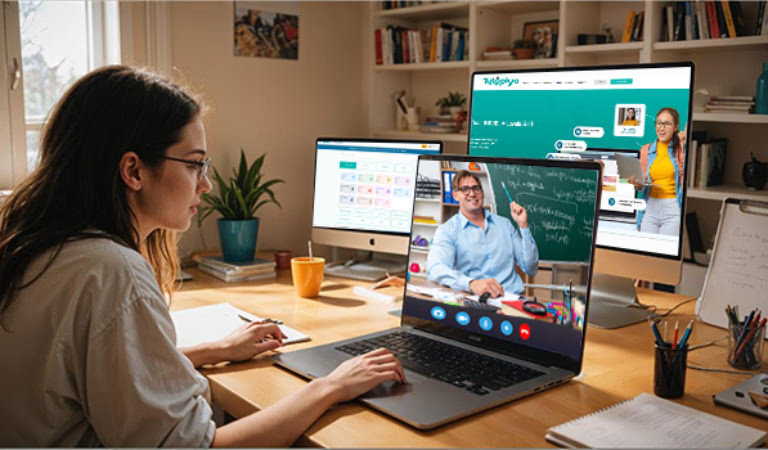
For most students, a laptop with a camera, headphones and a stable internet connection is the best setup for online tutoring; a tablet with a stylus is a good choice for maths and science writing or for younger children. The right setup makes lessons smoother and less tiring. This guide compares devices and gives a simple checklist for parents.
Written by Tutopiya, an online tutoring company that teaches students one-to-one online.
Key takeaways
- Laptops suit most older students.
- Tablets with a stylus suit maths, science and younger children.
- Headphones with a microphone make a big difference.
- Test the setup before the first lesson.
Which device is best?
A laptop is usually the best all-round device, a tablet with a stylus is excellent for handwriting-heavy subjects, and a phone should only be a backup.
| Device | Pros | Cons |
|---|---|---|
| Laptop | Large screen, keyboard | Writing maths needs a mouse or pen |
| Tablet with stylus | Natural handwriting | Smaller screen, typing harder |
| Desktop | Large screen, stable | Not portable |
| Phone | Always available | Too small for whiteboards |
Best device by subject
| Subject | Suggested device |
|---|---|
| Maths and sciences | Tablet with stylus, or laptop with a drawing tablet |
| English and humanities | Laptop for typing |
| Computer science | Laptop for coding |
| Languages | Either |
Setup checklist: step by step
- Charge the device or plug it in.
- Check the camera and microphone.
- Use headphones with a microphone.
- Sit near the router or use a wired connection.
- Close other apps and tabs.
- Have paper and pens ready.
Internet tips
A stable connection matters more than raw speed. Ask other family members to pause large downloads or streaming during lessons, and restart the router if problems persist.
Online safety and security
Keep devices updated and use strong passwords. The National Cyber Security Centre has simple tips for staying secure online.
Setting up the space
| Tip | Why |
|---|---|
| Quiet room | Fewer distractions |
| Good light | Tutor can see work |
| Shared area for young children | Safety and support |
| Comfortable chair and desk | Focus |
Young children
Tablets are often easier for young children, especially with a stylus for drawing and writing. A parent nearby helps with setup. See online tutoring for young children.
Troubleshooting common problems
| Problem | Fix |
|---|---|
| Echo | Use headphones |
| Frozen video | Move closer to the router |
| No sound | Check output settings |
| Lag on whiteboard | Close other apps |
How parents can help
- test the setup before the first lesson;
- keep a charger nearby;
- keep the space quiet.
Questions to ask a provider
- What device do you recommend?
- Does the platform work on tablets?
- Is there a way to test the setup beforehand?
Browse our Cambridge IGCSE maths tutors and IB Diploma tutors.
Do you need a stylus?
A stylus or drawing tablet isn’t essential, but it makes writing equations, diagrams and annotations much easier, especially in maths and sciences.
Camera on or off?
Camera on usually helps engagement and lets the tutor see expressions, though some shy students prefer it off at first. See online tutoring for shy children.
Budget-friendly options
You don’t need an expensive device. A mid-range laptop or tablet and basic headphones are enough for most lessons.
Sharing devices between family members
If siblings or parents share one device, plan lesson times so it’s free, and set up separate user accounts where possible. See tutoring for siblings for scheduling ideas.
Screens and posture
Raise the screen to eye level, sit on a supportive chair and take short breaks in longer lessons. These small changes reduce tiredness and help focus.
Backup plans
If the internet fails, switch to a phone hotspot or move closer to the router, and let the tutor know quickly. Many tutors can share lesson notes so nothing is lost.
Before the first lesson
- Log in five minutes early.
- Test sound and video.
- Open any shared documents.
- Put phones on silent.
Accessories worth having
| Accessory | Why |
|---|---|
| Headphones with mic | Clear sound |
| Stylus or drawing tablet | Maths and diagrams |
| Laptop stand | Posture |
| Charger | No interruptions |
Tip: keep the device on a desk rather than a bed or sofa, which helps posture and concentration.
Test the setup again after any software update.
A good setup lets lessons focus on learning, not technology.
How Tutopiya tutoring works
Tutopiya offers one-to-one online tutoring.
- Lessons work on laptops and tablets with a camera and microphone.
- A free first trial lesson, with no card needed, to test your setup.
- From 4 hours a month per subject. Each tutor sets their own rate, shown before booking.
- AI lesson analysis gives a summary after each lesson.
See our online tuition page.
Common mistakes
- Using a phone → use a laptop or tablet.
- No headphones → reduce echo.
- Poor connection → sit near the router.
- No test → check before the first lesson.
Talk to us
For related advice, see preparing for your first online tutoring lesson. Or contact our team.
Summary: a laptop with headphones suits most students, a tablet with a stylus suits maths and young children, and a quick setup test avoids first-lesson problems.
Frequently asked questions
Is a tablet or laptop better for online tutoring? +
A laptop is usually best for older students because of the larger screen and keyboard. A tablet with a stylus works well for maths and science writing, and for younger children.
Can students use a phone? +
Phones are better than nothing in an emergency, but the small screen makes whiteboards and documents hard to use. A laptop or tablet is recommended.
What internet speed is needed? +
A stable broadband connection that handles video calls smoothly is enough for most lessons. Sitting close to the router or using a wired connection helps.
Are headphones necessary? +
They're strongly recommended. Headphones with a microphone reduce echo and background noise.
What do Tutopiya lessons need? +
A laptop or tablet with a camera, microphone and stable internet. The first trial lesson is free with no card required, which is a good chance to test your setup.
Ready to Excel in Your Studies?
Get personalised help from Tutopiya's expert tutors. Whether it's IGCSE, IB, A-Levels, or any other curriculum — we match you with the perfect tutor and your first session is free.
Book Your Free TrialWritten by
Tutopiya Team
Academic team
Related Articles

13+ Common Entrance Tutor: A Guide for Parents
How a 13+ Common Entrance tutor helps with ISEB exams for independent senior schools: maths, English, science, languages and planning Year 7 and 8.

A Level Art and Design Tutor: Support Within the Rules
How an A Level Art tutor helps with the personal investigation, written study, artist research and set assignment, while the work stays the student's own.
A Level German Tutor: How to Choose the Right One
How to choose an A Level German tutor for AQA, Edexcel or Cambridge 9897: grammar, essays on works, the research project and speaking. Free trial lesson.