
Built for university
Help that keeps up with your course.
Lectures move fast and office hours are once a week. Your tutor is there at midnight before the problem sheet is due.
Pitched at degree level
Your tutor knows you’re at university, so explanations go as deep as your module does, with the maths and terminology left in.
Ask about your own slides
Send a photo of a lecture slide, a PDF of the reading or a problem sheet, and your tutor works from what your lecturer set.
Practice before the exam
Ask for exam-style questions on any topic, one at a time, and get each answer marked with a clear explanation.
Derivations, worked through
Sketch a graph or your working on the whiteboard, and go through a proof or derivation one step at a time.
Lecture recordings
Missed something in the lecture? Play it back as revision.
Upload a recorded lecture, up to 2 hours long. You get study notes, a quiz, flashcards and a transcript you can search, each linked to the moment it came from.
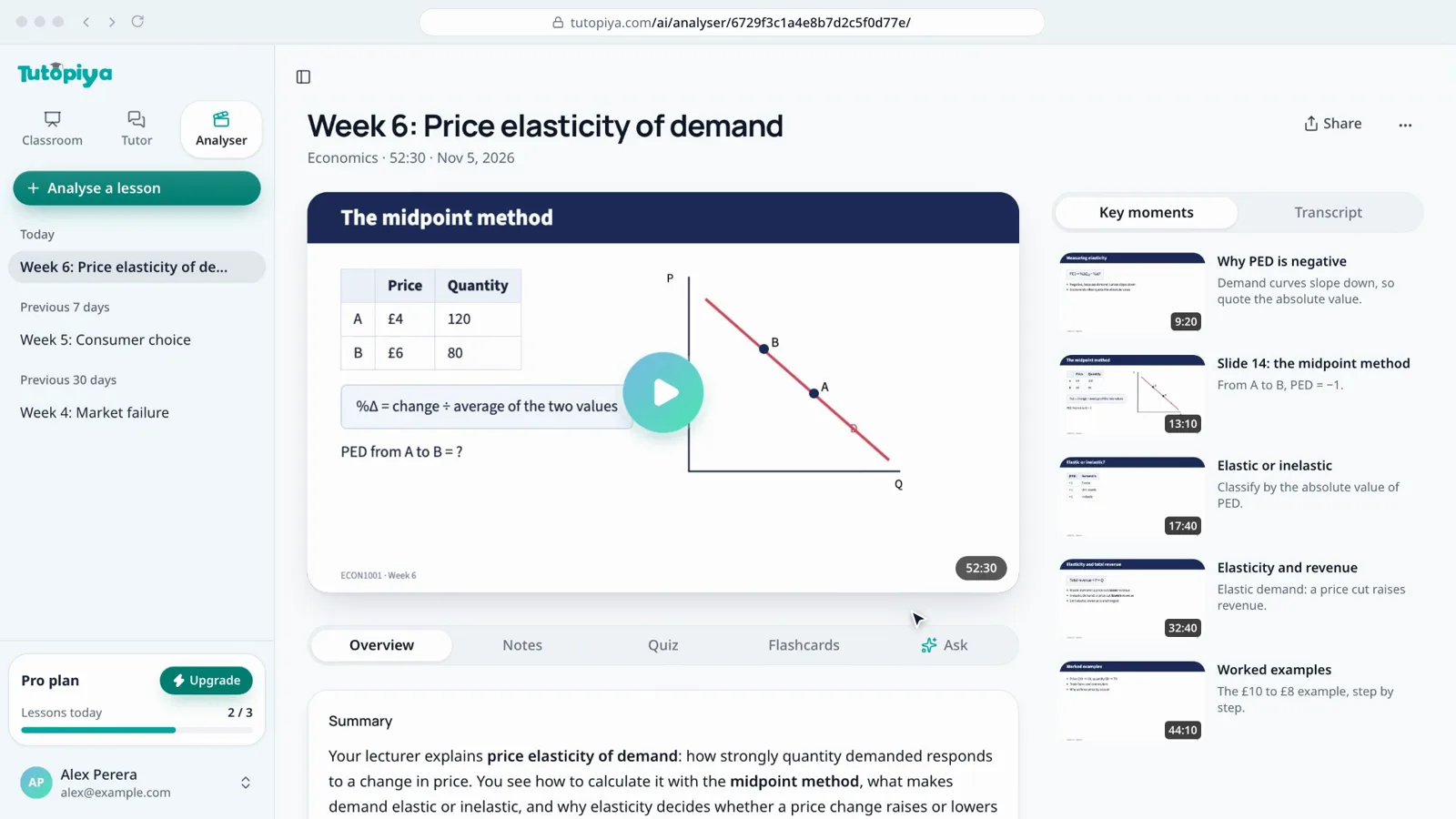
Notes and a quiz
Study notes and questions written from what your lecturer actually said.
Flashcards
The definitions, formulas and key results from the lecture, ready to test yourself on.
Ask about the lecture
Answers stick to the recording, with a link to the minute each point came up.
Listen back
A short spoken recap to play on the way to the exam hall.
How it works
From question to first explanation in a minute.
- 1
Pick your subject
University is already selected. Choose your subject and add what you’re working on, like “week 6, price elasticity”.
- 2
Choose a tutor
Six tutors per subject, each teaching a different way: concepts first, step by step, exam focused and more.
- 3
Start learning
Choose a plan, sign up and ask your first question. Every chat is saved, so you can pick it up before the exam.
Tutor calls
Some questions are easier to say out loud.
Call your tutor and talk it through, the way you would with a teacher after class. When you hang up, a summary of what you covered is waiting in the chat.
- Send a voice note when typing out a question takes too long
- Snap a photo of your worksheet, or sketch it on the whiteboard
- A summary of every call saved in the chat
Academic integrity
Made for learning, not for handing in.
It won’t write your coursework
Ask it to write graded work for you and it will help you understand the material instead, so the work you hand in is yours.
It shows its working
Tutors explain how they got there, so you can follow the reasoning and spot a slip. AI can make mistakes, so check anything important against your lecture notes.
Your work stays yours
Chats, lecture recordings and notes are private to your account. Delete any of them whenever you like.
Plans
Pick the plan that fits how you study.
Pay monthly or yearly. Change plan or cancel from your account whenever you like.
Pro
For everyday studying
$20 a monthor $200 a yearSave 17%
Includes:
- Live classes on any topic in your syllabus, with classmates and team games
- Raise your hand in class and talk it through with your tutor
- Subject tutors for every subject, by chat, voice note or call
- Send photos, files and sketches of your work
- Turn recorded lessons into notes, quizzes and flashcards
- Class notes to keep and download as PDF
Max
For heavy revision
$100 a monthor $1,000 a yearSave 17%
Everything in Pro, plus:
- Much more usage than Pro, every single day
- Many more live classes, with more questions in class
- Far more tutor messages and longer calls
- More photos, files and sketches in chat
- More lessons analysed, and more questions about them
- Room for long study days and back-to-back revision
FAQ
University questions, answered.
Bring this week’s lecture.
Pick your subject and tutor, choose a plan and ask your first question in a couple of minutes.
Meet your university tutor