Tutopiya Learning Platform: Features and How to Use in Singapore
The Tutopiya learning platform is where Singapore students attend live one-to-one lessons and manage their tuition. This guide explains the main features and how to use it for IGCSE, A-Level, and other curricula so you can get the most out of Tutopiya.
What the platform is
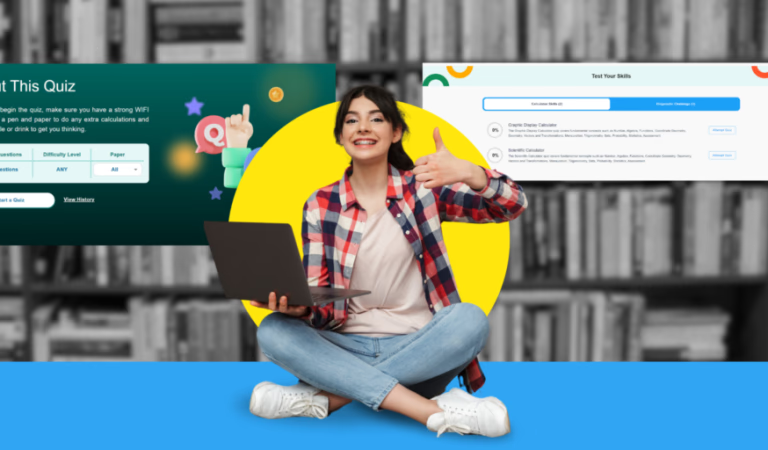
The Tutopiya learning platform is the online space where tuition happens. After you log in (see our Tutopiya login guide if you need help), you can see scheduled lessons, join live video sessions with your tutor, and often access materials such as past papers or notes. The platform is designed for learning from home, which suits families in Singapore who want to avoid travel and schedule lessons at convenient times. Tutopiya may also offer features such as AI Buddy or other study aids; check the platform or Tutopiya website for the latest features.
How to access
Go to the official Tutopiya website and log in with your email and password. Once logged in, you will see a dashboard or portal with upcoming lessons, past sessions, and resources. Bookmark the correct login page so you always use the official site. If you forget your password, use the Forgot password link on the login page.
Joining a lesson
When it is time for a lesson, open the learning platform and find the session in your schedule. Use the Join or Start lesson button to open the live video room. Ensure your camera and microphone work and you have a stable internet connection so the lesson is not disrupted. The tutor will guide you through the lesson; you can share your screen or work through past papers together if the platform supports it. For Singapore students, a quiet room and good Wi-Fi or wired connection help avoid dropouts.
Tips for Singapore students
Before the lesson: Log in a few minutes early and have your notes or past papers ready so you do not waste lesson time. During the lesson: Participate and ask questions; the tutor is there to help you understand and practise exam technique. After the lesson: Review and complete any follow-up work so the next lesson can build on it. For technical issues, contact Tutopiya support through the official website. If you have not yet tried the platform, book a free trial to see how it works with an IGCSE or A-Level tutor.
What the platform is designed for
The Tutopiya learning platform is designed for one-to-one live tuition: the student and tutor see and hear each other in real time, and can share materials (e.g. a past paper or a diagram) on screen. It is not a pre-recorded course library; the value is in the live interaction and the tutor’s ability to adapt to the student’s questions and pace. For Singapore students, this means you get personalised help with the exact syllabus and exam board you are studying, whether that is Cambridge IGCSE, Edexcel IGCSE, or A-Level. The platform also lets you manage your schedule and bookings in one place, so you can see when your next lesson is and access the link to join.
Next steps
Log in to the Tutopiya learning platform to see your lessons. New? Book a free trial to try the platform with an IGCSE or A-Level tutor.
Ready to Excel in Your Studies?
Get personalised help from Tutopiya's expert tutors. Whether it's IGCSE, IB, A-Levels, or any other curriculum — we match you with the perfect tutor and your first session is free.
Book Your Free TrialWritten by
Tutopiya Team
Educational Expert
Related Articles

Aibuddy Tutopiya - What is Aibuddy for Singapore Students
Aibuddy on Tutopiya: what it is and how Singapore students can use aibuddy for revision and learning alongside live tuition.

Chemistry IGCSE Formula Sheet - Key Equations for Singapore Students
Chemistry IGCSE formula sheet for Cambridge and Edexcel. Key equations and how to use the chemistry IGCSE formula sheet for Singapore students.

GPA Calculator IGCSE - Convert IGCSE Grades to GPA Singapore
GPA calculator IGCSE for Singapore and international students. How to use a gpa calculator igcse and when conversion is needed.